At EmailOctopus, our mission is to help make email marketing more accessible than ever. Today we’re taking another big step towards this, with the launch of our latest feature, Templates.
We’ve reworked the campaign creation
When creating a campaign in the EmailOctopus platform you’ll now see a multi-step process. The 2nd step of the campaign creation is where you can select the template you wish to use.
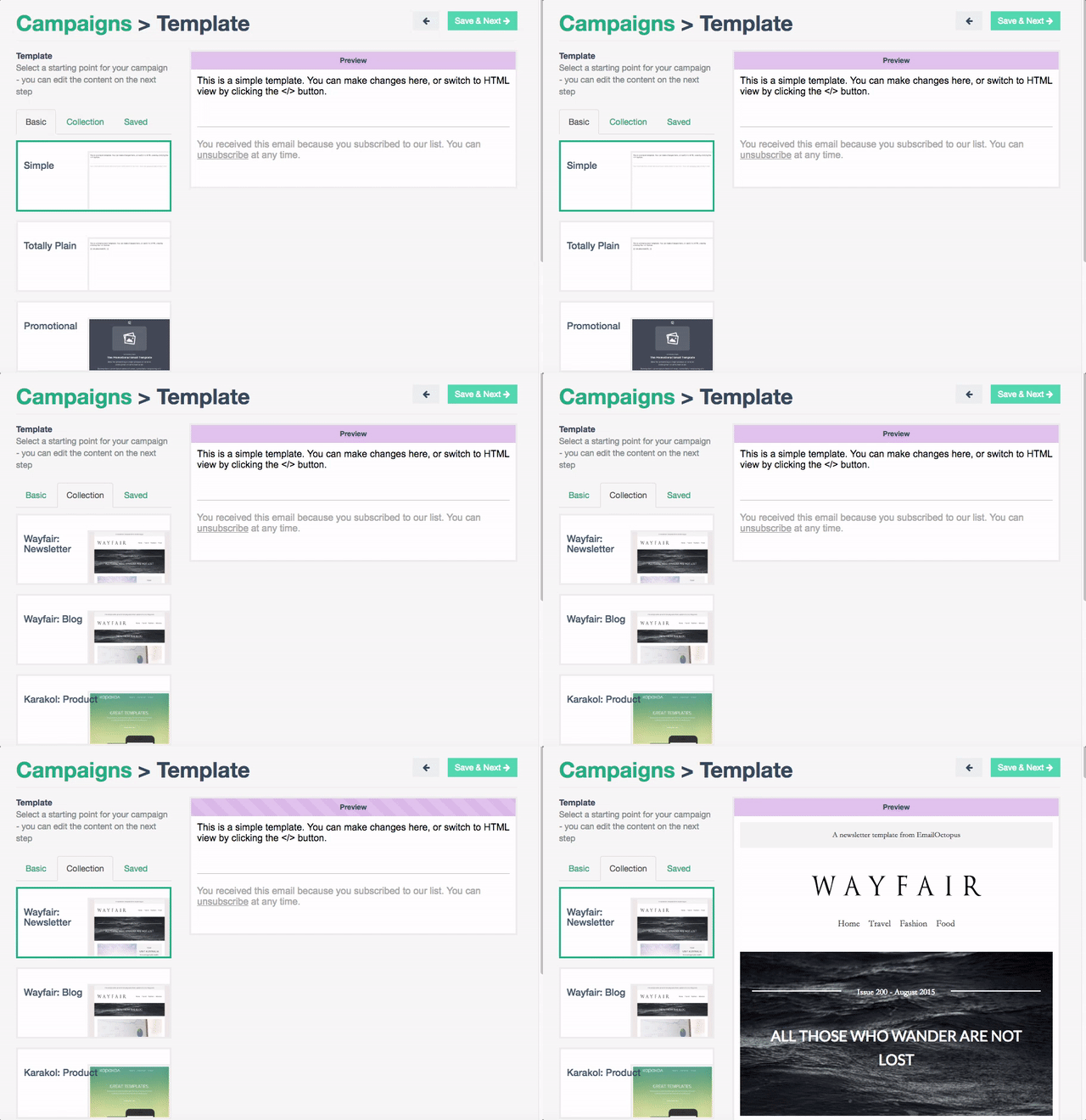
There are 3 kinds of templates on offer. Basic templates, for the user who wants more creative freedom over the design. Collection templates, a unique set of beautifully designed email templates which have been tested across all major email clients. Saved templates, these are templates which you have saved previously – great for reusing custom email templates which you’ve built.
You can easily edit content in the templates
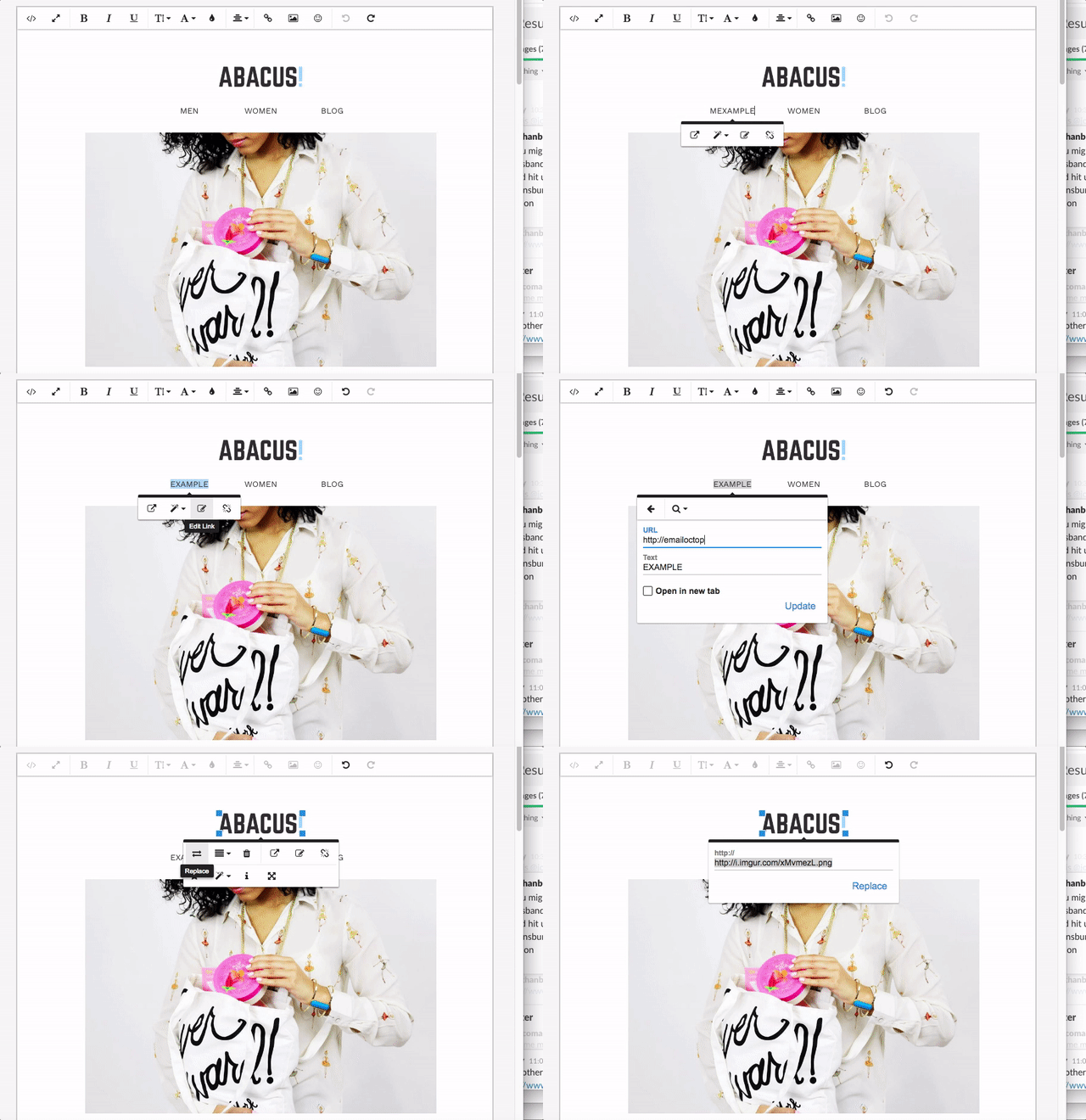
Our editor makes editing the content within the templates easy. Simply click the element you wish to change, and you’re able to replace images, change the text or edit the links.
If you wish to download and edit the collection templates using your own editors such as Sublime Text or Litmus Builder then you can access the raw HTML here.
Create and edit your own templates
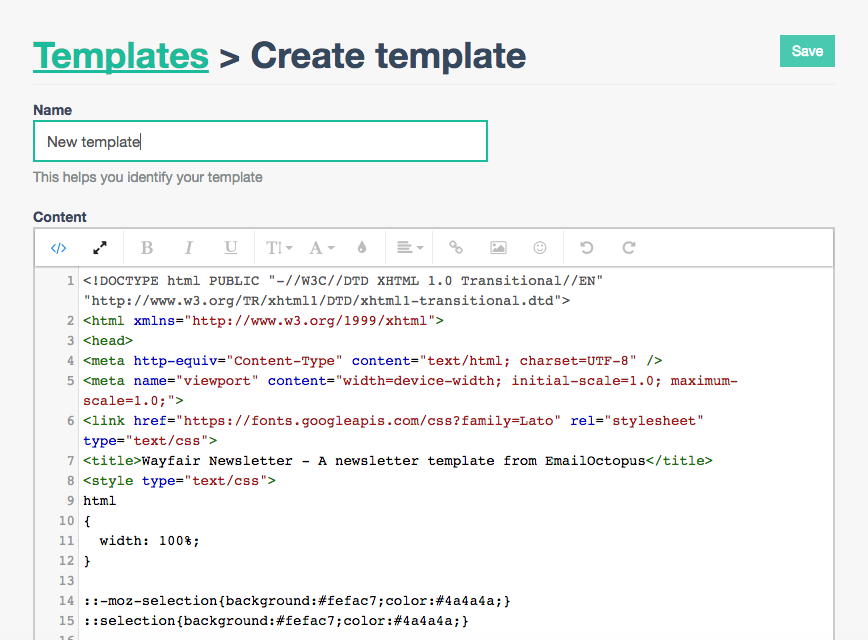
If you have an HTML email that you’d like to use regularly in EmailOctopus, it’s possible to now add this as a template. In the Dashboard immediately after logging into EmailOctopus you will now see a Templates menu item.
Simply click Create at the top right of the page, and you’ll be able to add as many templates as required.